
- Notizie
- EXPLORE
- Businesses
- Reels
- Resources
- Blaque Market
- Offers
-
 Resumé
⚙️ Operations, Tools & Systems
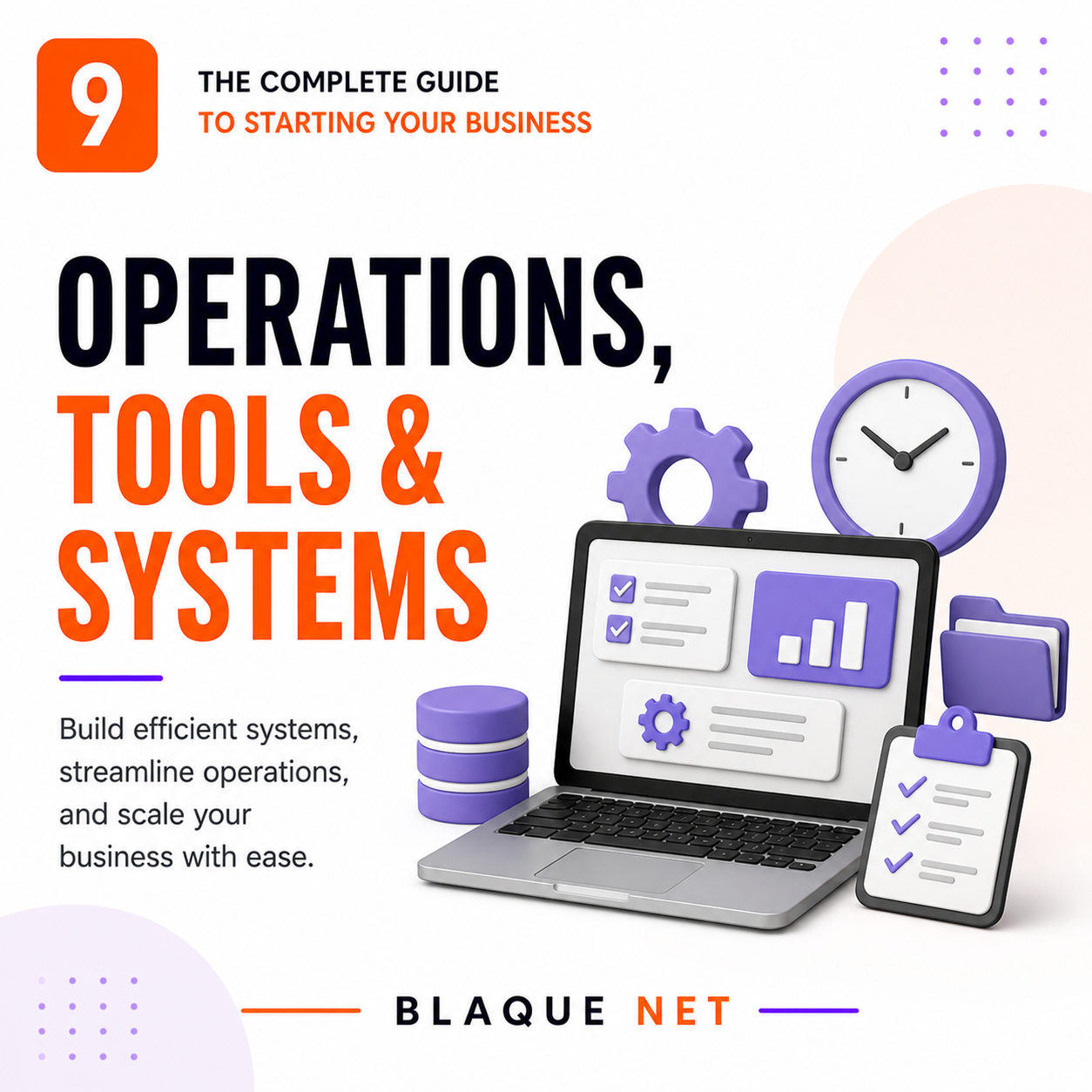
⚙️ Operations, Tools & Systems
The right tools keep you efficient and scalable. Start lean — only add what you actually need. The right systems turn a one-person hustle into a business that runs without you.
🎯 The Lean Operations Principle
Every tool you add costs money, time to learn, and mental overhead to maintain. The goal is not to have the most sophisticated tech stack — it's to have the minimum set of tools that lets you operate at the highest level of quality and consistency. Start lean. Add only when a real bottleneck demands it.
- Does this solve a problem I actually have right now?
- Will I use it at least weekly?
- Can I afford it without stress?
- Does it integrate with tools I already use?
- What's the cost of NOT having it?
- Paying for tools you set up and never used
- Using 4 tools when 1 would do the same job
- Spending more time managing tools than doing the work
- Adding enterprise tools before you have enterprise problems
- Switching tools every 3 months chasing the "perfect" stack
- Deliver to clients consistently and on time
- Know exactly where every project, task, and file is
- Communicate clearly with clients, contractors, and team
- Get paid reliably and track every dollar
- Free up your brain for high-value work
💻 Your Core Operations Stack
These are the categories every business needs to have covered. The specific tool matters less than having something solid in each category, actually using it, and keeping it current.
📋 Project & Task Management
If your to-do list lives in your head or on sticky notes, you're operating on memory and luck. A project management system externalizes everything — deadlines, owners, statuses, dependencies — so nothing falls through the cracks and you can scale beyond what one brain can hold.
| Tool | Free Plan? | Best For | Standout Feature |
|---|---|---|---|
| Notion | ✅ Yes | Solo founders, knowledge-heavy businesses | Docs + tasks + database in one; infinitely flexible |
| Trello | ✅ Yes | Visual thinkers, simple workflows | Kanban boards; easiest learning curve |
| Asana | ✅ Yes (up to 15) | Teams, multi-project businesses | Timeline view, dependencies, workload management |
| ClickUp | ✅ Yes | Power users who want everything in one place | Most feature-rich free tier; docs, goals, time tracking |
| Monday.com | ❌ No | Growing teams, client-facing project tracking | Best visual dashboards; strong client portal features |
🤝 CRM — Customer Relationship Management
A CRM is your system of record for every lead, prospect, and client relationship. It tracks where each person is in your pipeline, what was discussed, what was promised, and what the next step is. Without one, you rely on memory and scattered notes — and deals fall through cracks they shouldn't.
| Tool | Free Plan? | Best For | Standout Feature |
|---|---|---|---|
| HubSpot CRM | ✅ Generous free | Most small businesses | Email tracking, pipeline management, integrations |
| Zoho CRM | ✅ Up to 3 users | Feature-hungry small teams | AI sales assistant, workflow automation |
| Pipedrive | ❌ 14-day trial | Sales-focused businesses | Cleanest pipeline UI; built for deal-closing |
| Dubsado | ✅ 3 clients free | Service-based businesses | CRM + contracts + invoices + client portals in one |
| 17hats | ❌ Paid only | Solopreneurs, creative services | All-in-one: CRM, contracts, invoices, scheduling |
💬 Communication & Collaboration
Scattered communication across text, DMs, email, and voicemail creates confusion, delays, and missed information. Centralize your team and client communication into defined channels where everything is searchable and documented.
Team messaging organized by channels. Keeps communication out of email. Free plan works well for small teams.
Best for: Internal teams & contractor communicationVideo meetings, client calls, webinars. Zoom is the standard for client-facing calls. Google Meet is free and built into Google Workspace.
Best for: Client meetings, discovery calls, team standupsAsync video messaging. Record your screen and face to explain something instead of writing a long email or scheduling a meeting that didn't need to happen.
Best for: Client updates, team training, feedback deliveryGmail, Drive, Docs, Sheets, Calendar, Meet. The most complete business productivity suite. Custom domain email alone is worth it for credibility.
Best for: All businesses. ~$6/user/month.📁 File Storage & Document Management
15GB free. Best for businesses already on Google Workspace. Folders, shared drives, real-time document collaboration. Accessible from any device.
Best for design and media-heavy businesses managing large files. Strong version history and external sharing with permission controls.
If your team already runs in Notion, it can also serve as your documentation hub — SOPs, templates, knowledge base, onboarding docs. Reduces tool sprawl.
YYYY-MM-DD_ClientName_ProjectName_v1. Searching for the right file should never take more than 10 seconds. If it does, your folder structure needs a rebuild.📅 Scheduling & Calendar Management
Send a link, people book into your available slots. Eliminates the back-and-forth of scheduling. Free plan covers most solo founders. Syncs with Google Calendar, Outlook, and Zoom.
More customization than Calendly. Built-in intake forms, client self-scheduling, package booking. Best for service businesses that need more than a simple booking link.
Free. Every meeting, deadline, and recurring task goes here. Color-code by category (client, admin, focused work, personal). Your calendar is your operating plan — treat it like one.
⚡ Automation — Remove Yourself From Repetitive Work
Every task you do more than once a week is a candidate for automation. Automation doesn't replace judgment — it removes the repetitive, manual steps that consume time without adding value. Start with the tasks that take the most time or that slip through the cracks most often.
Connect any two apps and automate workflows without code. "When X happens in App A, do Y in App B." Free plan: 100 tasks/month. Paid: unlimited.
Examples: New form submission → create CRM contact → send welcome email → create Trello card
More powerful than Zapier for complex multi-step workflows. Visual flow builder. Better free tier (1,000 operations/month). Steeper learning curve but more flexibility.
Best for: Multi-step automations, conditional logic, data transformation
Automated email sequences triggered by user behavior (sign-up, purchase, inactivity). Once written and set up, they run without you — welcoming, nurturing, and converting leads 24/7.
Tools: Mailchimp, ActiveCampaign, ConvertKit, Klaviyo
Set up auto-pay for all retainer and subscription clients. Stripe, Square, or your invoicing software handles it. You get paid on schedule without chasing a single invoice.
Impact: Eliminates the single biggest cash flow inconsistency for service businesses
High-Value Automations to Build First
🤖 AI Tools for Entrepreneurs — What's Actually Worth Using
AI tools are not replacing entrepreneurs — they're replacing the hours spent on tasks that don't require your unique judgment. The entrepreneurs winning right now are the ones who've learned to treat AI as a force multiplier for everything that isn't their core genius.
 Capital OS — The AI Engine Inside Blaque Net
Most AI tools are general-purpose. Capital OS is built specifically for entrepreneurs — it knows the language of funding, strategy, operations, and growth. It's the AI business intelligence system powering Blaque Net's platform, available to every member.
AI Tools by Business Function
| Function | Top Tools | What It Does For You |
|---|---|---|
| Writing & Content | Capital OS (Blaque Net) |
Grant applications, pitch narratives, emails & outreach in your founder voice — plus first drafts, social captions, blog posts, and scripts |
| Funding & Strategy | Capital OS (Blaque Net) |
Grant matching, capital readiness scoring, financial projections, business strategy — built exclusively for entrepreneurs. Nothing else on this list does this. |
| Image & Design | Canva AI, Midjourney, Adobe Firefly | Social graphics, presentations, brand visuals, ad creative |
| Video | Descript, CapCut, Opus Clip | Edit recordings, auto-captions, repurpose long video into short clips |
| Transcription & Meetings | Otter.ai, Fireflies.ai, Fathom | Auto-transcribe meetings, extract action items, summarize calls |
| Customer Service | Intercom, Tidio, Freshdesk AI | AI chatbot answers FAQs, routes inquiries, handles after-hours support |
| Research & Competitive Intel | Perplexity, Claude, ChatGPT | Market research, competitor analysis, industry trends, grant research |
| Bookkeeping & Finance | QuickBooks AI, Digits, Puzzle | Auto-categorize transactions, anomaly detection, financial summaries |
👥 Hiring Your First Person — Employee vs. Contractor
The decision to bring someone in is one of the most consequential you'll make as a business owner. Get the classification wrong and you face IRS penalties, back taxes, and potential lawsuits. Get the timing wrong and you either burn out alone or hire before the business can support it.
Employee vs. Independent Contractor — The Real Difference
| Factor | Employee (W-2) | Contractor (1099) |
|---|---|---|
| Who controls how work is done? | You (employer) | They control their own methods |
| Payroll taxes | You pay 7.65% employer share | They pay their own SE tax |
| Benefits obligation | May be required (health, PTO, etc.) | None required |
| Set hours / location | You can require this | Cannot require — they work on their schedule |
| Equipment provided by employer | Usually yes | Uses own tools typically |
| Year-end tax form | W-2 | 1099-NEC (if paid $600+) |
| Misclassification risk | N/A | High if treated like employee |
When to Hire — The Right Triggers
- You're consistently turning down work due to capacity
- A specific task consumes 10+ hrs/week below your hourly value
- Revenue can sustain the cost for 6+ months minimum
- You have a clear role description and measurable outcomes
- Documented SOPs exist for the role you're filling
- Revenue is inconsistent or uncertain
- You haven't documented what the role actually does
- You're hiring because you're overwhelmed — not because you have overflow
- You haven't hired and onboarded someone before (start with a contractor)
- You can automate the task instead
The Real Cost of an Employee
An employee earning $50,000/year doesn't cost you $50,000. The fully-loaded cost includes:
- Gross salary: $50,000
- Employer payroll taxes (FICA ~7.65%): +$3,825
- Federal & state unemployment taxes: +$500–$1,500
- Health insurance contribution (if offered): +$3,000–$8,000
- Workers' comp insurance: +$500–$2,000
- Equipment, software, onboarding: +$1,000–$3,000
- Management time (your hours): Real but hard to quantify
- True all-in cost: $58,000–$68,000+
Know this number before you make the offer. The position needs to generate at least this much in value — either directly in revenue or in time freed up for higher-value work.
Payroll Tools
Most popular for small businesses. Handles payroll, taxes, benefits, W-2s, and 1099s. Integrates with QuickBooks. ~$40/month base + $6/employee.
Payroll + HR + IT device management in one platform. More powerful than Gusto. Best for growing teams who want HR and payroll unified. ~$8/user/month base.
Best if you're already on QuickBooks for accounting. Payroll and books stay in sync automatically. ~$45–$125/month depending on tier.
🛡️ Business Insurance — Protection You Can't Operate Without
Insurance is the one cost you pay hoping you never use it — and the one cost that can save everything if you do. Many entrepreneurs skip it until a client demands a Certificate of Insurance (COI) or something goes wrong. Neither is the right time to find out you're unprotected.
| Coverage Type | What It Covers | Who Needs It | Est. Annual Cost |
|---|---|---|---|
| General Liability | Third-party bodily injury, property damage, advertising injury | Every business | $400–$1,500/yr |
| Professional Liability (E&O) | Claims of negligence, errors, or failure to deliver professional services | Consultants, coaches, agencies, tech, financial, legal | $500–$3,000/yr |
| Business Owner's Policy (BOP) | Bundles general liability + commercial property. Best value for most small businesses. | Small businesses with physical location or equipment | $500–$2,500/yr |
| Cyber Liability | Data breaches, cyberattacks, ransomware, notification costs | Any business storing customer data or operating digitally | $500–$2,000/yr |
| Workers' Compensation | Employee injuries on the job, lost wages, medical costs | Required in FL for most businesses with 4+ employees | Varies by industry & payroll |
| Commercial Auto | Vehicles used for business purposes | Any business using vehicles for deliveries, client visits, etc. | $1,000–$3,000/yr |
📝 Standard Operating Procedures (SOPs) — The System Behind Consistency
An SOP is a documented, step-by-step description of how a specific task or process gets done in your business. If the answer to "how do you do X?" only exists in your head, you have a single point of failure. SOPs let you delegate, onboard, scale, and take a vacation.
✅ Your Section 9 Checklist
🎯 Quick-Scan Summary
- Start lean. Every tool should earn its cost weekly. Cut anything that doesn't.
- Cover the 5 core categories: project management, CRM, communication, file storage, and scheduling. Everything else is optional until a real bottleneck demands it.
- The 5 automations that pay back the most: lead capture, invoice reminders, meeting confirmations, review requests, and content distribution.
- AI is a force multiplier, not a replacement for judgment. Capital OS is the AI tool built specifically for entrepreneurial strategy, funding, and growth — not generic prompting.
- Contractor vs. employee classification is not a gray area the IRS overlooks. Misclassification is expensive. When in doubt, consult an employment attorney.
- The real cost of a $50K employee is $58K–$68K+. Know the full number before you make the offer.
- General liability insurance is non-negotiable. Get your COI before a client or contract requires it — not after.
- If a process only exists in your head, you have a single point of failure. Document your top 5 tasks as SOPs this week.
Last Updated: May 2026 · Blaque Net Start Your Business Series
Let Capital OS Run the Heavy Lifting 🤖
Business Buddy is your AI-powered operations co-pilot — funding intelligence, strategy, capital readiness, and your brand voice, all in one place on Blaque Net.
Open Capital OS →
 Italiano
 English
 Arabic
 French
 Spanish
 Portuguese
 Deutsch
 Turkish
 Dutch
Dutch
 Russian
 Romaian
 Portuguese (Brazil)
 Greek
Greek